Wayline
People choose where they want to go. Wayline helps them figure out how to get there.

Wayline is a collaborative travel planner. A group shares one trip: an interactive map beside a day-by-day timeline. Everyone picks places, arranges them into days and sees each other's changes as they happen. Between consecutive stops Wayline looks up real travel times and points out when a plan doesn't add up.
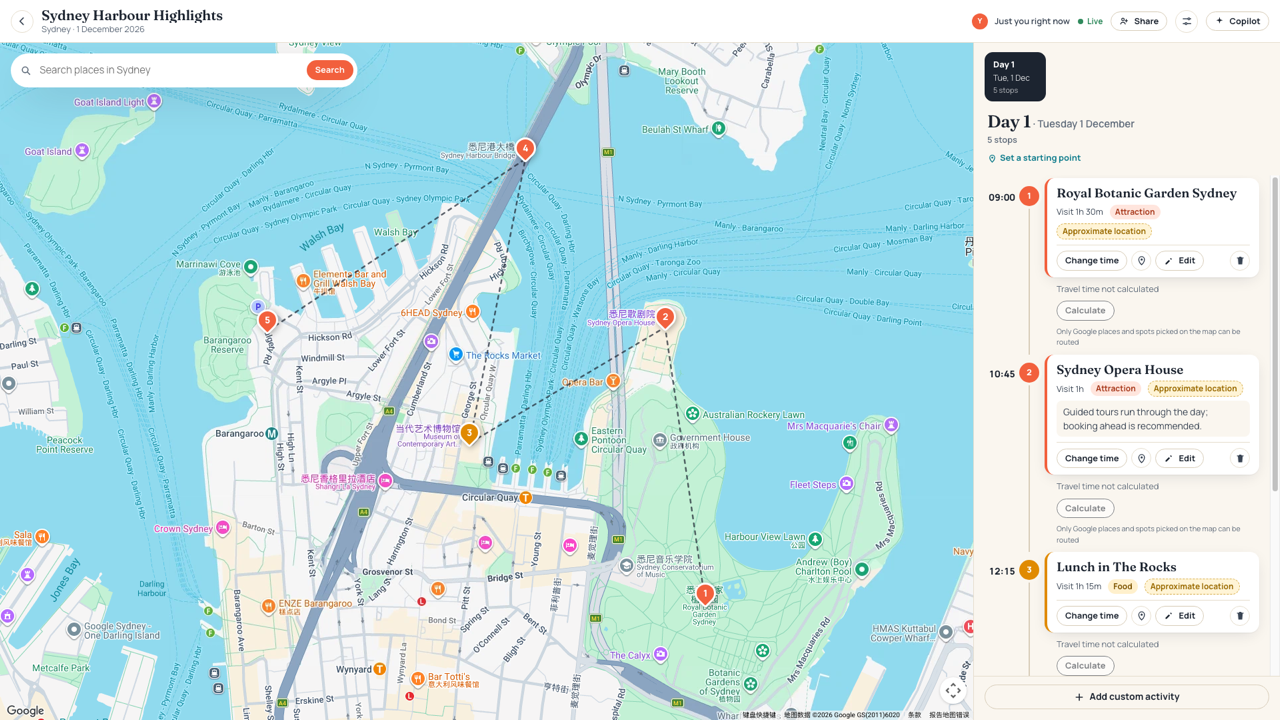
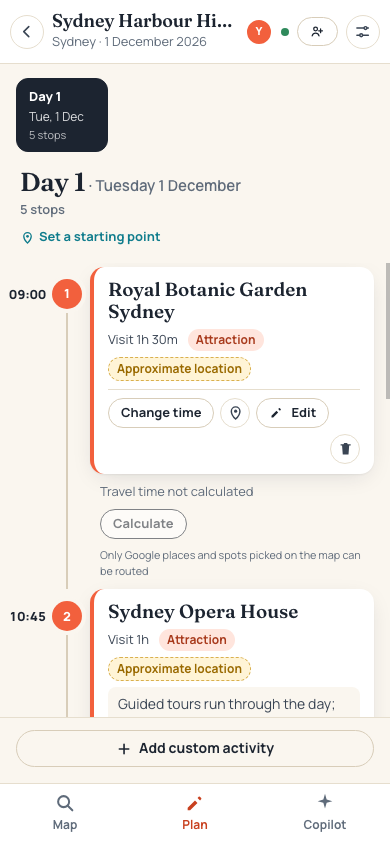
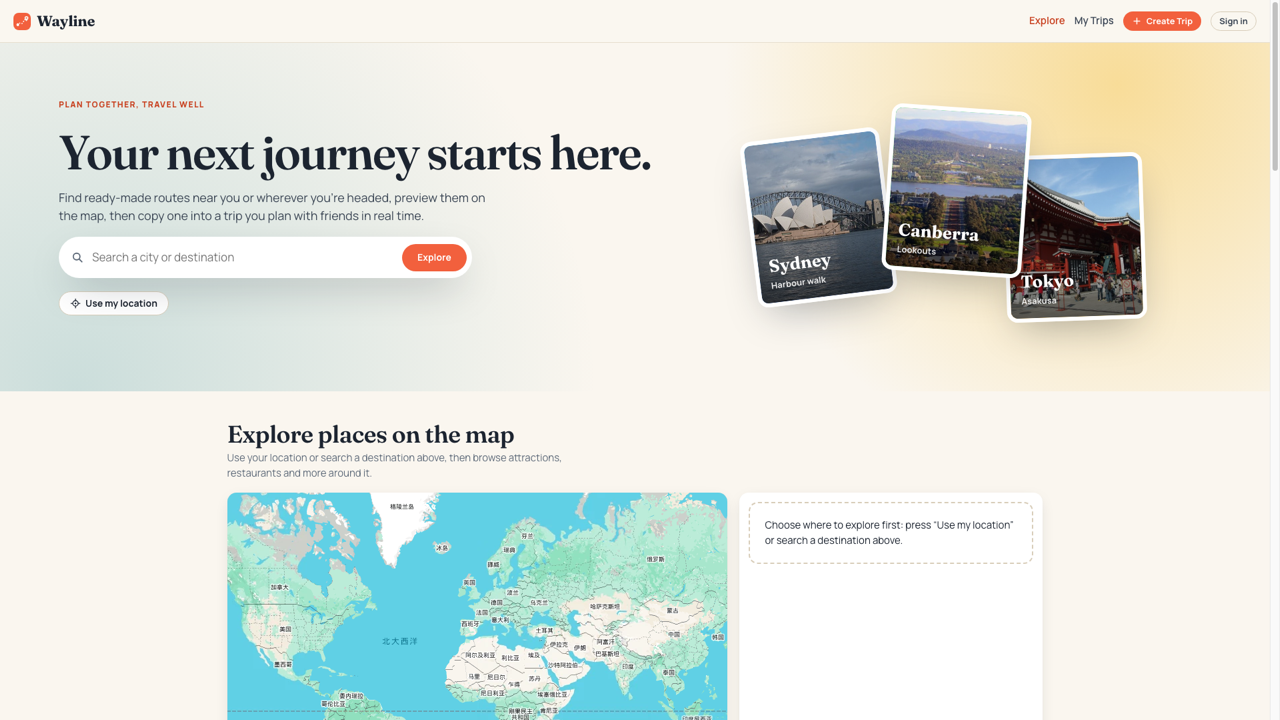
Screenshots from 12 October 2026: the homepage from the live site; the editor from a local copy of the same commit with real Google keys, showing a copy of a curated itinerary. Its stops have no stored Google match, so they're labelled "Approximate location" and travel times can't be calculated for them. The interface has changed since: the phone's third tab is now Assistant, and the homepage no longer lists your trips (they're on My Trips).
From Virtual Gym to Wayline
This project began as Virtual Gym, a shared pixel-art gym where real workouts moved your character. Seeing others online changed little about anyone's experience, and its use alongside existing fitness apps was hard to justify, so in October 2026 the project pivoted to collaborative travel planning. The gym's development record stays in PROCESS.md, reflections/ and docs/decisions/.
Who it's for
Small groups, roughly two to six people, planning a short trip together, who care more about a plan that actually works than about discovering new places. Today that planning is spread across a map app, a shared document, a group chat and screenshots, and the hard part is fitting choices together: whether the zoo and lunch fit in one morning once the ferry is counted, and whose copy of the plan is current.
How collaboration works
Everyone invited to a trip edits the same itinerary, which lives on the server. When someone adds a stop, moves lunch to one o'clock, changes how long the museum takes or swaps a stop's place for another, the change is saved and then pushed to every open editor, appearing within about a second. An edit made against an outdated version is refused instead of silently overwriting someone. Trips are private: only the owner and the people they invite can see or change them. The owner invites in one of two ways: a revocable link, or by searching for the nickname they registered as “Your name” and sending them an invitation. If that person has Wayline open, a card appears at once with who invited them and to which trip, to accept, decline or leave for later; otherwise the invitation waits in their My Trips. Each account has a unique login username and a unique nickname; search results show both so you can confirm the person you meant.
Invite links last 24 hours and never let anyone in by themselves: each person asks to join, and the owner approves or rejects them. Collaborators plan the trip with the owner: they add, change, move, re-place or remove any stop, set the starting point, choose how to travel and apply suggested fixes. Only the owner renames the trip or changes its dates and settings, manages who's on it, publishes it or deletes it. Publishing shares a read-only snapshot, without notes or the people on the trip, that others can rate (1–5 stars, one review each), copy into a private trip of their own with "Use This Template", or export as an image or PDF without signing in; Wayline's curated itineraries export the same way. The copy is independent: neither side's later edits reach the other (docs/permissions.md).
The server writes one structured JSON log line for each significant action (who signed in, who opened a trip, who added, moved or retimed a stop, who joined or left the live session, and every refused or failed operation), always attributed to the account behind the session cookie. It never logs passwords, cookies, keys, notes or map positions (docs/logging.md).
Two people on a trip can also talk it through in an audio-only voice call from the editor's top bar, while both keep editing the same plan. The call is between them: browser to browser over WebRTC, never recorded, transcribed or sent to the AI, and never part of the itinerary. One call has two people. Reliable calling across different networks needs a TURN relay configured on the server (ADR 0004).
The planned role of AI
The planning assistant helps; it doesn't decide. Most of what it says comes from plain rules, not a model. Overlaps and too-short gaps are calculated by arithmetic, from travel times Google's Routes API actually returned; when a new stop is added after another, its suggested time already includes Google's travel time from the stop before, labelled approximate. The same rules notice a missing meal and show it on the timeline where it would go: lunch before setting out when the day starts at noon, dinner between two stops, or dinner after the last one. Each comes with "Find places to eat", which searches Google near that point of the route and checks opening hours, with no model call.
When a day has timing conflicts, the assistant lists each with the fixes the app worked out (start a stop later, shorten the one before, switch how you travel, or keep it as planned). It previews everything chosen together, says whether any conflict would remain, and applies the lot with one press. An AI can preselect the fixes it recommends and say why, but the person chooses and presses. "Optimize my day" is the one feature that drafts with a model: an order for stops without set times, ways of travelling, and a few nearby places Google returned that match your preferences. Its changes are listed as choices, and only the chosen ones are applied. It never moves a stop whose time you set, never picks a way of travelling you excluded, and never invents a place. Allergies and dietary needs are treated as constraints, but Google can't confirm what a restaurant serves, so every food suggestion says to check with the restaurant.
Nothing changes until someone applies it, and anything applied is refused if the day changed since it was suggested. Once the day changes, suggestions made for the old day are cleared instead of staying on screen. Numbers shown come from the app's own calculation; AI text is labelled as interpretation. Your food preferences stay private to you; a trip shares only transport, pace, budget and interests. Without a configured AI key, the rule-based checks and Google suggestions still work and the app says AI is unavailable (docs/ai.md).
Why this interaction should be meaningful
In Virtual Gym, other people were visible but nothing they did touched your session. In Wayline, the hope is that interaction matters because the plan is genuinely shared: one person's change shapes everyone's day, and conflicts become decisions the group makes together. That is a design intention, still to be evaluated with real groups.
What good means here
- planning happens by touching the map and timeline, not filling in forms;
- the people on a trip share one plan, never diverging copies (a template someone uses becomes their own, separate trip);
- travel information is truthful: real route data, or a plain "unknown", and demo data is always labelled;
- the assistant explains and suggests; people decide;
- a private trip stays private.
Which claims are checked
spec/ enforces the checkable parts: outsiders get nothing, and each role gets exactly the rights above; retried adds don't duplicate; stale edits and stale fixes are refused; schedule maths is exact; changes reach another session, and another real browser, within a second; data survives a restart; server keys never reach the browser; no route or travel time is invented (the Google parts against a stand-in for Google, not the live service). A production audit found one gap: the server checked the starting point's version only when a request included it. That check is now required, and a test covers it (ADR 0003). Whether planning feels direct and calm is judged by people using it.
What it deliberately doesn't do
No booking, payments, feeds, text chat or comments, whole AI-generated trips or multi-day route optimisation. Each would move decisions away from the travellers or the focus away from the shared plan. The one exception to "no chat" is the two-person voice call above: talking while both look at the same map and timeline keeps the plan at the centre, where a text channel would compete with it. No video, group calls or call recording.
Sources
Work this definition is argued from, and against:
- Clay Shirky, Situated Software (2004), and Robin Sloan, An app can be a home-cooked meal (2020): software for one small group, not everyone. Hence two to six travellers, and no feeds or reviews.
- Ben Shneiderman, Direct Manipulation: A Step Beyond Programming Languages, IEEE Computer 16(8), 1983: visible objects, acted on directly, with immediate feedback. Hence the map and timeline over forms.
- Martin Fowler, Optimistic Offline Lock: detect a conflicting edit by its version and refuse it. Hence "refused instead of silently overwriting".
- Evan Wallace, How Figma's multiplayer technology works (2019): a server-authoritative alternative to operational transforms, but last writer wins per property. Wayline keeps the server's authority and refuses stale edits instead.
- Kleppmann et al., Local-first software (Ink & Switch, 2019): the case for offline editing and automatic merging (CRDTs). Wayline gives up offline editing for one copy on the server (ADR 0003).
- Amershi et al., Guidelines for Human-AI Interaction, CHI 2019: make clear what the system can do and why, and make it easy to dismiss or correct. Hence an assistant that explains and proposes, and applies only what a person chose.
- Google Maps Platform, Places API policies: attribution and limits on storing Google content. Hence route data only from Google, or "unknown".